SMART Notebook 11 software
Check out the new features of SMART Notebook 11
Social Media Links


Apr 17, 2012


Apr 10, 2012
More Articles on the Flipped Classroom
Since my last post, there has been a flurry of activity in the news and on the blogosphere regarding the flipped classroom. I thought I would share a few with you:
Flipped Classes Take Learning to New Places
The Flipped Classroom
Flipped Classroom Idea to Expand - News Article
The Future of the Flipped Classroom
Arizona Schools Flipping Homework, Lectures
Providence Day Tries Tech-Savvy Teaching
Technology Finds its Way into Farmington Classrooms
Just a little food for thought if you are thinking about Flipping! Have you tried this technique? Is it working for you? Please share your comments here.
Flipped Classes Take Learning to New Places
The Flipped Classroom
Flipped Classroom Idea to Expand - News Article
The Future of the Flipped Classroom
Arizona Schools Flipping Homework, Lectures
Providence Day Tries Tech-Savvy Teaching
Technology Finds its Way into Farmington Classrooms
Just a little food for thought if you are thinking about Flipping! Have you tried this technique? Is it working for you? Please share your comments here.
Mar 3, 2012
Instructional Tools for Flipping the Classroom
As we have moved the discussion further down the path to creating a flipped classroom, the talk has turned to how to create quality instruction. It is altogether one thing to find the right screencast software or video editing software, and another to find the right tool to provide instruction. Do you use an Interactive Whiteboard? Do you use a video camera and a whiteboard?
As we have talked about providing instruction, we discussed Salman Khan. If you have never seen his work, see my previous post on Flipping the Classroom or go to http://www.khanacademy.org/. One of the tools he uses is SmoothDraw. This is a free tool that provides a background on which you can write with different colored pens. Originally intended to be a drawing tool, it works great for providing on screen instruction.
The math teacher in our building who is working on flipping his classroom tried it. Here is a taste of his first run with SmoothDraw.
Pretty good if you ask me! While smoothdraw is a free tool for your computer, you can also use other tools like Explain Everything or Educreations for the iPad .
The next step is to find the best format for making this available. Which website do you choose. As our math teacher works with this, I will keep you updated on what we find that works best.
As we have talked about providing instruction, we discussed Salman Khan. If you have never seen his work, see my previous post on Flipping the Classroom or go to http://www.khanacademy.org/. One of the tools he uses is SmoothDraw. This is a free tool that provides a background on which you can write with different colored pens. Originally intended to be a drawing tool, it works great for providing on screen instruction.
The math teacher in our building who is working on flipping his classroom tried it. Here is a taste of his first run with SmoothDraw.
Pretty good if you ask me! While smoothdraw is a free tool for your computer, you can also use other tools like Explain Everything or Educreations for the iPad .
The next step is to find the best format for making this available. Which website do you choose. As our math teacher works with this, I will keep you updated on what we find that works best.
Feb 28, 2012
More Tips for Flipping the Classroom


- Try to minimize their excuses by making the material easy to retrieve (no difficult logins, web addresses, etc...).
- For students that have a phone (android or iphone), show them how to make an icon on their device that links them directly to your website. This keeps them from making excuses if its right on their phone.
- After the video, give them a preview of what they will cover in class the next day - linking the video with the in-class assignment.
Feb 27, 2012
Flipping the Classroom...continued
I have posted a few articles regarding Flipping the Classroom in the past, but recently a colleague and I were talking about it again. It seems that when I mention the idea of flipping, most teachers express little interest. Not until now have I spoken with someone that wanted to try it.
For those of you that have never heard of it, flipping the classroom is a bit of a departure from traditional teaching methods. The way most of us learned in the classroom (and still teach), instruction is given in the classroom and then homework is assigned for, well...home. With flipping the classroom, teachers have found that if they make "homework" about instruction and set aside classroom time for hands on practice, labs, and drill activities, students benefit more, because they get more one on one time with the teacher. As well, they benefit from more group oriented tasks, such as collaborative projects and labs.
How do you do instruction as "homework"? The answer is to record instructional lectures as video and to post them online, either on YouTube, Vimeo, or a teacher created website. As we spoke about the process, we got into the discussion of what would be needed. Here are a few resources:
Video Production:
After production, upload your videos to YouTube, Vimeo or your own website. Try these links for creating your own Teacher Website:
These are just a few links to create a website. There are tons of others available on the web. Just be aware of your ability to upload different file types and be aware of pricing.
Once you have created your videos, students can view them at night for homework. What I would have given to have told my parents that my homework was to watch videos. The big hook is that you have to make sure your students have access to the internet and the videos you are putting out on the web are available in a format they can view. If students are viewing them on a mobile device, remember that Apple products cannot view Flash, so you might think about using a QuickTime or MP4 Format.
The great thing about making this switch is that once your students have done their homework and watched your videos, they come to class ready to do hands-on practice. If you're just not sure about it, here are a few articles on the process and successes different teachers have had with it:
The Daily Riff - http://www.thedailyriff.com/articles/how-the-flipped-classroom-is-radically-transforming-learning-536.php
The Chronicle of Higher Education - http://chronicle.com/article/How-Flipping-the-Classroom/130857/
Salman Khan on flipping the Classroom - http://www.ted.com/talks/salman_khan_let_s_use_video_to_reinvent_education.html
The Flipped Classroom
For those of you that have never heard of it, flipping the classroom is a bit of a departure from traditional teaching methods. The way most of us learned in the classroom (and still teach), instruction is given in the classroom and then homework is assigned for, well...home. With flipping the classroom, teachers have found that if they make "homework" about instruction and set aside classroom time for hands on practice, labs, and drill activities, students benefit more, because they get more one on one time with the teacher. As well, they benefit from more group oriented tasks, such as collaborative projects and labs.
How do you do instruction as "homework"? The answer is to record instructional lectures as video and to post them online, either on YouTube, Vimeo, or a teacher created website. As we spoke about the process, we got into the discussion of what would be needed. Here are a few resources:
Video Production:
- CamStudio - http://camstudio.org/ - free resource similar to Camtasia. This resource allows you to capture screencasts.
- Moviemaker - Available on Windows XP - if you like to record your videos the old way, use a video camera and upload your videos to your computer. Then use Camtasia for editing.
- Explain Everything - iPad App ($2.99) - Explain and record from your ipad, then upload to web.
After production, upload your videos to YouTube, Vimeo or your own website. Try these links for creating your own Teacher Website:
- Teacher Web - http://teacherweb.com/ - Administer your own teacher website for $39 / Year.
- Weebly - http://weebly.com/ - Create your own teacher website on weebly using drag and drop interface - Free.
- Wikispaces - http://www.wikispaces.com/ - Create a wiki with multiple pages, links, and space to upload your files. Free.
These are just a few links to create a website. There are tons of others available on the web. Just be aware of your ability to upload different file types and be aware of pricing.
Once you have created your videos, students can view them at night for homework. What I would have given to have told my parents that my homework was to watch videos. The big hook is that you have to make sure your students have access to the internet and the videos you are putting out on the web are available in a format they can view. If students are viewing them on a mobile device, remember that Apple products cannot view Flash, so you might think about using a QuickTime or MP4 Format.
The great thing about making this switch is that once your students have done their homework and watched your videos, they come to class ready to do hands-on practice. If you're just not sure about it, here are a few articles on the process and successes different teachers have had with it:
The Daily Riff - http://www.thedailyriff.com/articles/how-the-flipped-classroom-is-radically-transforming-learning-536.php
The Chronicle of Higher Education - http://chronicle.com/article/How-Flipping-the-Classroom/130857/
Salman Khan on flipping the Classroom - http://www.ted.com/talks/salman_khan_let_s_use_video_to_reinvent_education.html
The Flipped Classroom
Explain Everything - iPad App
Explain Everything is an app for the iPad ($2.99) that allows you to record and post explanations of...well, almost anything. Complete with tools that allow the user to mark up and annotate, this app also allows you to record from a website. Screen clicks are shown as you explain navigation of a website, for instance. Add clip art, import links/sites/files from Evernote, Dropbox, and iPad Photos. You can also add shapes and text to your video, as well as create an entire multi-page presentation.
When finished, export your creation as an image or video via email, dropbox, YouTube, or Evernote. The possibilities allow sharing with other users a snap. This is a great tool if looking for a paid alternative to some interactive whiteboard apps.
For a quick explanation of the app, view their video on YouTube:
Not shown in the video, but now available in the app, is the ability record while viewing a website. See explanation below:
When finished, export your creation as an image or video via email, dropbox, YouTube, or Evernote. The possibilities allow sharing with other users a snap. This is a great tool if looking for a paid alternative to some interactive whiteboard apps.
For a quick explanation of the app, view their video on YouTube:
Not shown in the video, but now available in the app, is the ability record while viewing a website. See explanation below:
Educreations - iPad App
Educreations is a simple and FREE app that gives you the freedom of an interactive whiteboard with the ability to record. Let's say you have something you need to explain to your class. With the Educreations app, you can use the whiteboard tools (pens and ability to add clip art) to record a short explanation on a topic, complete with audio. When you are finished, you can upload it to the Educreations website.
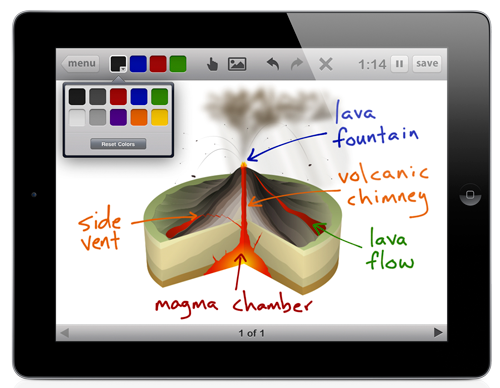
Settings allow you to share your finished video with the public or just your students. A link is provided so that everything is seamless. You will need to create a free Educreations account to use the app, but no login is required by your students to view your videos. Once your account is setup, you are ready to record and post your lectures. You can also create a course within Educreations to storehouse all of your videos.
Settings allow you to share your finished video with the public or just your students. A link is provided so that everything is seamless. You will need to create a free Educreations account to use the app, but no login is required by your students to view your videos. Once your account is setup, you are ready to record and post your lectures. You can also create a course within Educreations to storehouse all of your videos.
Oct 3, 2011
Lessons Learned from an Angry Bird
I really love when teachers glean lessons from everyday activities. This post from Mr. Meyer gets the point across that you can learn from games. Many articles have been posted about using video games as a learning tool. As well, there have been a few articles on using angry birds to teach about parabolic functions. Mr. Meyer points out that whether you are a student of math, English, science o social studies, we can all learn five basic things from these angry creatures. Read for yourself: Five Lessons On Teaching From Angry Birds That Have Nothing Whatsoever To Do With Parabolas
http://blog.mrmeyer.com/?p=9797
http://blog.mrmeyer.com/?p=9797
Aug 14, 2011
Resources for Innovation and Technology in Education
Through my experiences this summer, I have learned a great deal about disruptive innovation and technology in education. The sweeping changes that have occurred in technology over the past 5 years alone have had a profound effect on how we all learn; teachers and students alike. In the next few years, I will be helping to shape the face of online learning in my school district. During that time, I am sure I will see many changes as we get our feet wet, learning what works best and what does not. But in the next five years, I would like to see our program grow to provide a high school education in an online format by providing assignments and instruction from teachers within our own learning management system such as Moodle.
Currently, our school services students who are considered fully online and work from home, students who attend face to face classes during the day, as well as online, and those who make up credits in a virtual lab. The most important innovation I see that would benefit our program is the use of handheld tablets like the iPad or Android tablets. This would require the use of a Wi-Fi signal in our school, as well as funds to purchase the tablets. But once this is complete, this will allow students to interact with the online curriculum, as well as learning labs setup throughout the school.
The consensus of many IT departments in public schools has been to react to the change in technology education by trying to keep up with infrastructure and cost. To make our school more proactive, I think a move toward a wireless environment would allow students and teachers to bring their own devices to the learning environment. This would free many resources, both fiscal and physical, and apply them to curriculum design.
Knowing that change never stops and that we all, as educators, need to look every forward into what changes will come, I am providing a list reading of resources that I plan to read over the course of this year. This list is for me so I can be ready for the effects that innovation and technology will have on education and for all of those who are interested in keeping pace with technology and education. A few of these resources address the concept of technology and infrastructure resources. Others focus on best practices and use of technology in the classroom.
Other resources in my reading list include the books below as well as a list of blogs and websites I want to read or read on a regular basis:
Books
• Kelly, F.S., McCain, T., & Jukes, I. (2009). Teaching the digital generation: No more cookie cutter high schools. Ontario, Canada: Corwin Press.
• Collins, A. and Halverson, R. (2009). Rethinking education in the age of technology: The digital revolution and schooling in america. New York, NY: Teachers College Press.
Website/Blog Articles
• Wright, L. (2011, August 2). Adaptive learning technologies are the future of education. Retrieved from http://educationinnovation.typepad.com/
• Educational Technology. Retrieved from http://people.uis.edu/rschr1/et/
• Educational Technology Guy. Retrieved from http://educationaltechnologyguy.blogspot.com/
• Technology Integration in Education. Retrieved from http://www.edutopia.org/technology-integration
• The Innovative Educator. Retrieved from http://theinnovativeeducator.blogspot.com/
• Dreams of Education. Retrieved from http://dreamsofeducation.wordpress.com/
• iLearn Technology. Retrieved from http://ilearntechnology.com/
- Christensen, C.M. & Eyring, H. (2011). The innovative university: Changing the dna of higher education from the inside out. San Francisco, CA: Jossey-Bass.
- Means, B., Penuel, W.R., & Padilla, C. (2001). The connected school: Technology and learning in high school. San Francisco, CA: Jossey-Bass.
 |
| Retrieved from http://www.realeducation4al.com/ |
Aug 8, 2011
Tips for Creating Pull in Your School
by S. Beard
As secondary teachers, we often feel that we have little impact on what is going on in our school. As well, when you report to school each year, conversations often drift to how the state department has handed down new rules or expectations for teachers and students. Teachers talk about how they feel their hands are tied and they have no power or influence over these decisions. For many years schools were like this; rules and decisions were pushed from down from the top. The result has been that little progress has been made, as those at the bottom have little buy in to the rules that were designed without them. But if we take a look around our schools, some of the very decisions that are made can be influenced by some of the tiniest discussions. Today, teachers just like you and me are making an impression on the decision makers at the district and the state level. This has resulted because those at the bottom have created pull platforms that allow problems to be solved. Hagel, Brown, and Davison (2010) point out that:
Pull platforms make it easier to assemble participants and resources on an ad hoc basis to problem-solve unforeseen issues or situations. As a result, they enhance the potential for productive friction as people with different perspectives, skills, and experiences come together to try to find a solution for a specific problem. (p. 77)
The Difference Between Push and Pull
Hagel, Brown, and Davison (2010) describe push systems as those that are designed to anticipate our needs over time and that develop skills not knowing what future needs will be (p. 9). As schools deal with problems through push, such as creating solutions through uncertainty, more problems may be created. But through pull, schools can essentially work to assemble the “appropriate resources as the need arises” (Hagel & Brown, 2008, p. 1). This requires that teachers and administrators at lower levels define what is needed and gain access to needed information so that when situations arise, the collective knowledge of those experiencing issues can be used to pursue a solution. But finding information can be daunting when we don’t know the problem. Some of the simplest problems in my classroom have been solved because I have created situations in which I am able to gain knowledge from others through chance encounters. Hagel, Brown, and Davison (2010) call these “serendipitous encounters” (p. 89). Through chance encounters with other parents, teachers, and professionals, I have been able to pick up information that might have seemed trivial before, but presents itself as a solution over time. Creating serendipitous moments and leveraging those moments to create pull means that one first needs to put out feelers or develop relationships outside of their comfort area. Some teachers may say they don’t have time to search out new information or develop professional relationships beyond their classroom. However, here I will share a few helpful tips to help create the ability to attract and gain access to information that will generate pull in your school.
How can I gain access to what I need?
Joining a social network like Facebook or Linked In can help you make connections to not only other teachers in your discipline, but to friends and other professionals outside your field. Developing professional relationships with those outside of education can create situations that may result in assistance for classroom programs, development of skills that can benefit your career, or solutions to issues you may be having in your field. Professional networks like Ning allow educators, professionals, or, for instance, Smart Board users together. In this case, discussion forums on a social network can result in the kind of pull that answers technical questions about a piece of technology. This is a great example of assembling resources when needs arise.
Other ways of generating access can come in the form of journals, blogs, and wikis. If you use an aggregator such as Google Reader to assemble feed from different internet resources, you can easily gain one stop access to different information, points of view, or opinions about many different topics and different fields. Shop around blogs to read other viewpoints about education or social issues. Getting a perspective from the other side, or about a topic you never investigated may lead to answers you never thought of before.
Ways to generate serendipitous moments
As was mentioned earlier, Hagel, Brown, and Davison (2010) point out that, serendipitous encounters can create the kind of pull that “increases our likelihood of encountering people who share our passions” (p. 99). Here are some tips on creating those moments:
• Attend a Conference
In the past, at educational conferences, I spent most of my time going to breakout sessions on topics with which I was already familiar. Over time, I realized that attending sessions on topics I was less educated on resulted in new answers to unsolved problems.
• Stay after meetings
Talking with teachers from other departments may result in beneficial discussions or new relationships that garner new resources for your classroom or program.
• Join a community club or organization
Joining a local running club or attending the local rotary meeting may create a moment in which you may share information about your own program or learn more about issues in your community. Information shared may influence others, and in turn, may serve to help you.
The end result of creating pull can be that, over time, you and your fellow faculty members will evolve into a group that can create change within your school. Through the collaborative efforts, knowledge, and experience you share, your group can influence decision makers and effect change. Expanding your areas of interest and gaining greater perspective can help you think outside the box and spot trends as they arise (Hagel, Brown, and Davison, 2010, p. 115). Trend spotting and increased perspective can leverage your institution so that, rather than weathering change, you can embrace it.
References
Hagel, J. III., Brown, J.S., & Davison, L. (2010). The power of pull: How small moves, smartly made, can set big things in motion. New York: Basic Books.
Hagel, J. III. & Brown, J.S. (2008). From push to pull: Emerging models for mobilizing resources. Journal
of service science, 1(1). Retrieved from http://www.johnseelybrown.com/Push2Pull.pdf
As secondary teachers, we often feel that we have little impact on what is going on in our school. As well, when you report to school each year, conversations often drift to how the state department has handed down new rules or expectations for teachers and students. Teachers talk about how they feel their hands are tied and they have no power or influence over these decisions. For many years schools were like this; rules and decisions were pushed from down from the top. The result has been that little progress has been made, as those at the bottom have little buy in to the rules that were designed without them. But if we take a look around our schools, some of the very decisions that are made can be influenced by some of the tiniest discussions. Today, teachers just like you and me are making an impression on the decision makers at the district and the state level. This has resulted because those at the bottom have created pull platforms that allow problems to be solved. Hagel, Brown, and Davison (2010) point out that:
Pull platforms make it easier to assemble participants and resources on an ad hoc basis to problem-solve unforeseen issues or situations. As a result, they enhance the potential for productive friction as people with different perspectives, skills, and experiences come together to try to find a solution for a specific problem. (p. 77)
The Difference Between Push and Pull
Hagel, Brown, and Davison (2010) describe push systems as those that are designed to anticipate our needs over time and that develop skills not knowing what future needs will be (p. 9). As schools deal with problems through push, such as creating solutions through uncertainty, more problems may be created. But through pull, schools can essentially work to assemble the “appropriate resources as the need arises” (Hagel & Brown, 2008, p. 1). This requires that teachers and administrators at lower levels define what is needed and gain access to needed information so that when situations arise, the collective knowledge of those experiencing issues can be used to pursue a solution. But finding information can be daunting when we don’t know the problem. Some of the simplest problems in my classroom have been solved because I have created situations in which I am able to gain knowledge from others through chance encounters. Hagel, Brown, and Davison (2010) call these “serendipitous encounters” (p. 89). Through chance encounters with other parents, teachers, and professionals, I have been able to pick up information that might have seemed trivial before, but presents itself as a solution over time. Creating serendipitous moments and leveraging those moments to create pull means that one first needs to put out feelers or develop relationships outside of their comfort area. Some teachers may say they don’t have time to search out new information or develop professional relationships beyond their classroom. However, here I will share a few helpful tips to help create the ability to attract and gain access to information that will generate pull in your school.
 |
| Picture from http://www.business-opportunities.biz/mlm/2008/02/25/the-network-marketing-struggle/tug-of-war/ |
How can I gain access to what I need?
Joining a social network like Facebook or Linked In can help you make connections to not only other teachers in your discipline, but to friends and other professionals outside your field. Developing professional relationships with those outside of education can create situations that may result in assistance for classroom programs, development of skills that can benefit your career, or solutions to issues you may be having in your field. Professional networks like Ning allow educators, professionals, or, for instance, Smart Board users together. In this case, discussion forums on a social network can result in the kind of pull that answers technical questions about a piece of technology. This is a great example of assembling resources when needs arise.
Other ways of generating access can come in the form of journals, blogs, and wikis. If you use an aggregator such as Google Reader to assemble feed from different internet resources, you can easily gain one stop access to different information, points of view, or opinions about many different topics and different fields. Shop around blogs to read other viewpoints about education or social issues. Getting a perspective from the other side, or about a topic you never investigated may lead to answers you never thought of before.
Ways to generate serendipitous moments
As was mentioned earlier, Hagel, Brown, and Davison (2010) point out that, serendipitous encounters can create the kind of pull that “increases our likelihood of encountering people who share our passions” (p. 99). Here are some tips on creating those moments:
• Attend a Conference
In the past, at educational conferences, I spent most of my time going to breakout sessions on topics with which I was already familiar. Over time, I realized that attending sessions on topics I was less educated on resulted in new answers to unsolved problems.
• Stay after meetings
Talking with teachers from other departments may result in beneficial discussions or new relationships that garner new resources for your classroom or program.
• Join a community club or organization
Joining a local running club or attending the local rotary meeting may create a moment in which you may share information about your own program or learn more about issues in your community. Information shared may influence others, and in turn, may serve to help you.
The end result of creating pull can be that, over time, you and your fellow faculty members will evolve into a group that can create change within your school. Through the collaborative efforts, knowledge, and experience you share, your group can influence decision makers and effect change. Expanding your areas of interest and gaining greater perspective can help you think outside the box and spot trends as they arise (Hagel, Brown, and Davison, 2010, p. 115). Trend spotting and increased perspective can leverage your institution so that, rather than weathering change, you can embrace it.
References
Hagel, J. III., Brown, J.S., & Davison, L. (2010). The power of pull: How small moves, smartly made, can set big things in motion. New York: Basic Books.
Hagel, J. III. & Brown, J.S. (2008). From push to pull: Emerging models for mobilizing resources. Journal
of service science, 1(1). Retrieved from http://www.johnseelybrown.com/Push2Pull.pdf
Aug 1, 2011
I Flipped for Classroom Technology
As a classroom teacher, the drive to find new techniques and innovations that will increase student motivation has been a driving force behind classroom purchases. As I face each new year, I find that the students I encounter are not that different from previous years, but their preferred mode of learning has changed. When I look back on the teaching methods I received in high school, I remember sitting and listening while my teachers lectured for the entire class period. In comparison to those days, I find that today’s students are more interested in classroom tools that allow them to interact with one another and learn by doing.
The concept of providing hands on experiences for digital learners is a reality today. Just within the past ten years, technology has changed to the extent that I can provide engaging activities to my students, in and out of the classroom. The disruption that has occurred with regard to technology in the classroom is tremendous. Technology has created a world where teachers can provide instruction, facilitate learning, and engage in meaningful discussion with students thanks to a variety of classroom tools and online curriculum. Students are no longer tied to the sage on the stage. They have the ability to search out new information on their own. As well, the teacher has the benefit of engaging with students on a new level as a facilitator of learning. Watch the following video to see how technology has reinvented my classroom and reinvented the way my district looks at technology:
The concept of providing hands on experiences for digital learners is a reality today. Just within the past ten years, technology has changed to the extent that I can provide engaging activities to my students, in and out of the classroom. The disruption that has occurred with regard to technology in the classroom is tremendous. Technology has created a world where teachers can provide instruction, facilitate learning, and engage in meaningful discussion with students thanks to a variety of classroom tools and online curriculum. Students are no longer tied to the sage on the stage. They have the ability to search out new information on their own. As well, the teacher has the benefit of engaging with students on a new level as a facilitator of learning. Watch the following video to see how technology has reinvented my classroom and reinvented the way my district looks at technology:
Jul 25, 2011
ACU Connected Leads the Way
As high school students prepare for higher education, we as teachers want to make sure that they leave us with the skills they need to not only be successful in college, but also in the workplace. Over the past five years, the availability of mobile technology has changed dramatically. With those changes, the skills required in the workplace have changed, and as they should, the skills that students are acquiring in college have changed. enGauge (2003) points out that some of the skills required of workers in the new digital age are collaboration, interactive communication, and effective use of real world tools (p. 12). With this shift in mindset, schools are beginning to offer a different way of learning to help students attain those skills.
It was just a short time ago that Apple introduced the iPhone, which revolutionized mobile communication across the country. Since then, other companies like Samsung and HTC have followed suit in creating mobile phones similar to the iPhone, and other devices, like the iPod Touch, have made communication and computing more accessible to the masses. A side effect of this change is that many schools have begun incorporating mobile technology in their classrooms.
Universities like Abilene Christian University have gone the added distance of providing such devices to incoming freshman to help them collaborate with peers, stay connected beyond the classroom walls, and facilitate the learning process. The result of the ACU Connected initiative is that learning at ACU has made the transition from teacher centered learning in which students are constantly in search of what will be on the test and answering the question of “when will I need to know this?” to becoming more student centered. Student centered learning creates an atmosphere in which students take greater ownership in the learning process by engaging in meaningful discussion and producing work that is representative of the content they are to be learning. Dr. Dwayne Harapnuik (n.d.) adds that “Perhaps one of the greatest benefits to this active and dynamic approach is that leaners [sic] are engaged in the knowledge-creation process and no longer just view themselves as passive recipients of information but rather contributors” (n.pag.).
View the following video to see examples of student attitudes and the impact of the ACU Connected initiative:
The endeavor of providing mobile devices for the classroom began at ACU in 2007, when faculty began exploring the idea of bringing mobile devices into the classroom. Since then, the program has been well received as student participation has been high and faculty perceptions have been very positive. When asked of their experiences in using iPhones in their college classes, students like Mark Foster have praised the program by saying:
"Mobile learning is allowing students to have more engaging experiences in the classroom. When a teacher comments about something you want to know more about, you can pull out your iPhone and search for additional information. It encourages students to learn more." (Abilene Christian University 2009-10 Mobile Learning Report, p. 4).
Increased collaboration and communication at the higher education level using these devices has come in many forms. Teachers have the ability to share information before and after classes, as well as use class blogs and forums so that students can collaborate outside of class. As well, students can use their devices to take advantage of podcasts and videos that are made available on the internet by their instructors, or create their own content using their phones or tablet devices. Finally, by having mobile devices in hand, teachers can give out last minute tips and reminders to students, allowing seamless communication and adding less confusion about due dates and assignment guidelines.
As institutions of higher education begin to integrate technology in the ways we have just discussed, high school administrators and teachers are more aware of the pressures to begin incorporating the same skills and tools into their classrooms. Teachers at Wolf Creek Public Schools have found that allowing students to use technology in the classroom has created a shift in learning and skills: “The switch to personal mobile devices has moved the focus away from getting information to learning and asking questions” (Roscorla, T., 2011). Author Tanya Roscorla goes on to quote superintendent Gary Spence in saying, “It's about enhancing and building excellent learning environments. It's not a tech goal; it's a learning goal” (Roscorla, T., 2011).
High schools don’t necessarily need to take on as large a task as Abilene Christian University in providing iPhones to students. However, we can use ACU Connected as a model to begin integrating more technology by allowing students to bring their own devices to school. This will require a change in mindset on the part of our schools, but allowing this change will free students from the passive role of listening and absorbing, and give them the ability to explore, create and communicate beyond the walls of the classroom. A “Bring Your Own Device” rule will allow students who have devices to begin using them in productive ways, such as responding to in class polls, adding information to blog discussions, or researching information on the fly. To accommodate students without such devices, schools might utilize grant dollars or donations to provide wi-fi enabled iPod touches. An effort this size will invariably create opposition from some teachers, so we will need to proceed at a slow pace. A pilot program could include those teachers who feel comfortable integrating mobile technology into their classrooms. Afterward, successes and failures can be measured to make changes to the program, and then the pilot group can train other faculty members on integration techniques.
As high school teachers, although we may be resistant to allow students to use phones, tablets, and other handheld devices in school, we are just embarking on an innovation in learning that has already created a great amount of change. As always, students that leave our building will be adequately prepared for college if we are able to impart the book knowledge we have always given them. But, they will be more prepared if we are able to pass on twenty-first century skills that enable them to collaborate and work in a digital age.
References
For more information, view the following video regarding student use of mobile devices at ACU:
- Abilene Christian University 2009-10 Mobile Learning Report. Abilene Christian University. 2010. PDF file. Retrieved from http://www.acu.edu/promise/innovative/mlreport2009-10.html
- enGauge. (2003). Twenty first century skills for twenty first century learners. Retrieved from http://pict.sdsu.edu/engauge21st.pdf
- Harapnuik, Dwayne. (n.d.). Engaging and student centered. ACU connected blog. Web. 25 July 2011.
- Roscorla, Tonya. “Wolf creek public schools embraces byod, puts pedagogy first.” Converge Magazine, 5 July 2011. Web. 25 July 2011.
For more information, view the following video regarding student use of mobile devices at ACU:
Jul 18, 2011
Technology Trends Review
As high school students graduate to the halls of higher education, the experiences that they encounter differ from their secondary school learning due to the use of technologies that have emerged within the last five years. Through studies conducted at various institutes of higher education and through trends identified in the marketplace, we can capture a glimpse of the experiences or which high school students need to prepare as head to college. As teachers and library media specialists, we need to address these student needs by becoming apprised of the shift that has occurred in our institutes of higher learning. This includes an understanding of the emerging technology trends and their impact on education, the need for proper teacher training, and the impact on the student.
The Horizon Report (2006 – 2011), has consistently indicated over the last six years that there are key emerging trends that will have an impact on education. Those trends include mobile computing, use of e-books, cloud computing, and user created content. Other technologies and trends have been indicated as those to watch, however the aforementioned are consistently indicated in each report and therefore will show the greatest disruption to the traditional learning process and appear to be those that will be most widespread and beneficial to students in the years to come.
Mobile technology in the form of cell phones, tablets, and other handheld devices have emerged as the platform of choice for students wishing to access class material on the go. The ECAR Study of Undergraduate Students and Information Technology (2010) indicates that “the mobile web will be bigger than desktop internet use by 2015” (p. 59). If this is true, then traditional use of desktop computers to complete research, data gathering, and student work will evolve to a more mobile format that can increase student production and make learning opportunities more accessible.
Digital resources in the form of e-books and e-readers have shown an increase in popularity since they were first indicated as a trend in the 2010 horizon report (The Horizon Report, 2011, p. 41). The impact that this technology may have on education is that e-books can make study materials, research, and textbooks available in a more convenient and accessible format. Students obviously will benefit from the lighter load that comes in their backpacks, but beyond this, “reader technology has developed to the point that graphs, illustrations, videos, and interactive elements can easily be included, and many enable bookmarking, annotation, commentary, dictionary lookup, and other useful functions” (The Horizon Report, 2011, p. 45). Features such as these provide a richer learning experience, while providing accessibility functions to aid a variety of leveled learners.
Cloud computing provides the ability of the user to securely store and access content remotely. Specifically, “cloud-based applications do not run on a single computer; instead they are spread over a distributed cluster, using storage space and computing resources fro many available machines as needed” (The Horizon Report, 2009, p. 11). The impact that this may have on education is that information can be stored and retrieved from off site, rather than take up space on large site based servers. As well, teachers and students can create content ‘in the cloud’ so that they can create collaborative materials and experiences.
User-created content, such as videos, podcasts, blogs, and wikis, provides a medium through which students can collaborate, create, publish, and share work. A practice that has been trending since 2007 and often referred to as the Personal Web (The Horizon Report, 2009), the ability of students to create their own content has exploded with the emergence of YouTube, Twitter, Facebook, and Blogger, just to mention a few.
The growth of trends such as those mentioned above indicates that learning is becoming more reachable and more mobile than ever. The Morgan Stanley Mobile Internet Report (2009) indicates that use of mobile technology will move at a faster pace than acceptance of desktop computing and internet use of the early 1990s (p. 44). A great indicator of this is the increasing number of students who are utilizing mobile devices. The ECAR Study of Undergraduate Students and Information Technology (2010) indicated that in 2009, “51.2% of students owned an internet capable device” while in 2010, that number had jumped to 62.7% (p. 45). As well, students were using these devices to access or create wikis, use social networking sites in their courses, collaborate with other students, and access web-based productivity applications (The ECAR Study of Undergraduate Students and Information Technology, 2010, P. 75). In addition to accessibility, students are indicating a desire to use more mobile technologies and expect their instructors to be knowledgeable in their use as well (The ECAR Study of Undergraduate Students and Information Technology, 2010, p. 87).
The implications of these studies indicate that as schools, we need to accept that a shift is occurring in education and we need to meet the needs of our students head on. Much of the traditional information and content in our classes can be accessed wirelessly or across the internet and used in ways that instill collaboration and critical thinking. The effect is that students will be better prepared for careers that employ these technologies. As secondary teachers, preparing high school students for college courses utilizing these technologies, increases their chances even more. Student belief in the integration of technology by their teachers is evident in these studies. Half of students in the ECAR study (2010) commented that “the use of IT in courses improves their learning, and half also agreed or strongly agreed that by the time they graduated, the IT they have used in courses will have adequately prepared them for the workplace” (p. 91). Others have indicated that they desire more technology in their classes as well as tech-savvy instructors. Students are often expected to use technology in projects for classes, but are disappointed to see that their instructors cannot do the same. One student commented:
When I see seasoned professionals, often with doctoral degrees, fumbling around just to copy and paste files, I feel at a loss...If the experts in their fields were able to train their students in the technologies that are dominating their professional fields…students would have better chances for employment” (The ECAR Study of Undergraduate Students and Information Technology, 2010, p. 88).
These statements indicate that some teachers are not fully behind integration of technology. To assist the student in becoming successful in using technologies, teachers need to be as prepared as their students.
Given the information put forth by these studies, there are many schools moving toward greater use of technology in the classroom. However, there are obstacles that schools face in moving toward technology integration. The first obstacle to overcome is cost. However, one must understand that the information provided here also indicates that the mobility of apps and devices creates a scenario in which students bring their own devices and utilize open source or free software and applications.
As schools progress toward the goal of providing innovative technologies to students, the role of the school will be to provide an infrastructure to support the wireless capabilities used by mobile devices. Once this is complete, the next obstacle to overcome is to provide adequate training to teachers and students so that they are comfortable with use and integration of these apps in the curriculum. This will require an initiative on the part of the learning community which will spearhead efforts to provide such training. Most likely, library media specialists or technology integration specialists will be called upon to provide training to teachers. Teachers will then become specialists as they begin to teach students to utilize mobile technologies in the classroom. However the process unfolds, the benefit will be when students exit our schools prepared for the utilization of technology that is expected by schools of higher education. But faculty members need to understand that this is not a one shot effort. Making a shift of this magnitude will require an ongoing process in which school officials, trainers and teachers work toward integration, while paying close attention to industry predictors of technology use. As changes occur, schools need to be able to adapt. Asking schools to adapt to technology was a monumental task 20 years ago. But adaptation to technology today will prove to be a much easier transition as price points and user friendly options become available.
References
Morgan Stanley (2009). The mobile internet report. Retrieved from
http://www.morganstanley.com/institutional/techresearch/pdfs/Mobile_Internet_R
eport_Key_Themes_Final.pdf
The ECAR study of undergraduate students and information technology (2010).
Boulder, CO: EDUCAUSE.
The Horizon Report (2006 ed.) (2006). Austin, TX: The New Media Consortium.
The Horizon Report (2007 ed.) (2007). Austin, TX: The New Media Consortium.
The Horizon Report (2008 ed.) (2008). Austin, TX: The New Media Consortium.
The Horizon Report (2009 ed.) (2009). Austin, TX: The New Media Consortium.
The Horizon Report (2010 ed.) (2010). Austin, TX: The New Media Consortium.
The Horizon Report (2011 ed.) (2011). Austin, TX: The New Media Consortium.
Visit these sites for more information regarding emerging trends in technology.
The Horizon Report (2006 – 2011), has consistently indicated over the last six years that there are key emerging trends that will have an impact on education. Those trends include mobile computing, use of e-books, cloud computing, and user created content. Other technologies and trends have been indicated as those to watch, however the aforementioned are consistently indicated in each report and therefore will show the greatest disruption to the traditional learning process and appear to be those that will be most widespread and beneficial to students in the years to come.
Mobile technology in the form of cell phones, tablets, and other handheld devices have emerged as the platform of choice for students wishing to access class material on the go. The ECAR Study of Undergraduate Students and Information Technology (2010) indicates that “the mobile web will be bigger than desktop internet use by 2015” (p. 59). If this is true, then traditional use of desktop computers to complete research, data gathering, and student work will evolve to a more mobile format that can increase student production and make learning opportunities more accessible.
Digital resources in the form of e-books and e-readers have shown an increase in popularity since they were first indicated as a trend in the 2010 horizon report (The Horizon Report, 2011, p. 41). The impact that this technology may have on education is that e-books can make study materials, research, and textbooks available in a more convenient and accessible format. Students obviously will benefit from the lighter load that comes in their backpacks, but beyond this, “reader technology has developed to the point that graphs, illustrations, videos, and interactive elements can easily be included, and many enable bookmarking, annotation, commentary, dictionary lookup, and other useful functions” (The Horizon Report, 2011, p. 45). Features such as these provide a richer learning experience, while providing accessibility functions to aid a variety of leveled learners.
Cloud computing provides the ability of the user to securely store and access content remotely. Specifically, “cloud-based applications do not run on a single computer; instead they are spread over a distributed cluster, using storage space and computing resources fro many available machines as needed” (The Horizon Report, 2009, p. 11). The impact that this may have on education is that information can be stored and retrieved from off site, rather than take up space on large site based servers. As well, teachers and students can create content ‘in the cloud’ so that they can create collaborative materials and experiences.
User-created content, such as videos, podcasts, blogs, and wikis, provides a medium through which students can collaborate, create, publish, and share work. A practice that has been trending since 2007 and often referred to as the Personal Web (The Horizon Report, 2009), the ability of students to create their own content has exploded with the emergence of YouTube, Twitter, Facebook, and Blogger, just to mention a few.
The growth of trends such as those mentioned above indicates that learning is becoming more reachable and more mobile than ever. The Morgan Stanley Mobile Internet Report (2009) indicates that use of mobile technology will move at a faster pace than acceptance of desktop computing and internet use of the early 1990s (p. 44). A great indicator of this is the increasing number of students who are utilizing mobile devices. The ECAR Study of Undergraduate Students and Information Technology (2010) indicated that in 2009, “51.2% of students owned an internet capable device” while in 2010, that number had jumped to 62.7% (p. 45). As well, students were using these devices to access or create wikis, use social networking sites in their courses, collaborate with other students, and access web-based productivity applications (The ECAR Study of Undergraduate Students and Information Technology, 2010, P. 75). In addition to accessibility, students are indicating a desire to use more mobile technologies and expect their instructors to be knowledgeable in their use as well (The ECAR Study of Undergraduate Students and Information Technology, 2010, p. 87).
The implications of these studies indicate that as schools, we need to accept that a shift is occurring in education and we need to meet the needs of our students head on. Much of the traditional information and content in our classes can be accessed wirelessly or across the internet and used in ways that instill collaboration and critical thinking. The effect is that students will be better prepared for careers that employ these technologies. As secondary teachers, preparing high school students for college courses utilizing these technologies, increases their chances even more. Student belief in the integration of technology by their teachers is evident in these studies. Half of students in the ECAR study (2010) commented that “the use of IT in courses improves their learning, and half also agreed or strongly agreed that by the time they graduated, the IT they have used in courses will have adequately prepared them for the workplace” (p. 91). Others have indicated that they desire more technology in their classes as well as tech-savvy instructors. Students are often expected to use technology in projects for classes, but are disappointed to see that their instructors cannot do the same. One student commented:
When I see seasoned professionals, often with doctoral degrees, fumbling around just to copy and paste files, I feel at a loss...If the experts in their fields were able to train their students in the technologies that are dominating their professional fields…students would have better chances for employment” (The ECAR Study of Undergraduate Students and Information Technology, 2010, p. 88).
These statements indicate that some teachers are not fully behind integration of technology. To assist the student in becoming successful in using technologies, teachers need to be as prepared as their students.
Given the information put forth by these studies, there are many schools moving toward greater use of technology in the classroom. However, there are obstacles that schools face in moving toward technology integration. The first obstacle to overcome is cost. However, one must understand that the information provided here also indicates that the mobility of apps and devices creates a scenario in which students bring their own devices and utilize open source or free software and applications.
As schools progress toward the goal of providing innovative technologies to students, the role of the school will be to provide an infrastructure to support the wireless capabilities used by mobile devices. Once this is complete, the next obstacle to overcome is to provide adequate training to teachers and students so that they are comfortable with use and integration of these apps in the curriculum. This will require an initiative on the part of the learning community which will spearhead efforts to provide such training. Most likely, library media specialists or technology integration specialists will be called upon to provide training to teachers. Teachers will then become specialists as they begin to teach students to utilize mobile technologies in the classroom. However the process unfolds, the benefit will be when students exit our schools prepared for the utilization of technology that is expected by schools of higher education. But faculty members need to understand that this is not a one shot effort. Making a shift of this magnitude will require an ongoing process in which school officials, trainers and teachers work toward integration, while paying close attention to industry predictors of technology use. As changes occur, schools need to be able to adapt. Asking schools to adapt to technology was a monumental task 20 years ago. But adaptation to technology today will prove to be a much easier transition as price points and user friendly options become available.
References
Morgan Stanley (2009). The mobile internet report. Retrieved from
http://www.morganstanley.com/institutional/techresearch/pdfs/Mobile_Internet_R
eport_Key_Themes_Final.pdf
The ECAR study of undergraduate students and information technology (2010).
Boulder, CO: EDUCAUSE.
The Horizon Report (2006 ed.) (2006). Austin, TX: The New Media Consortium.
The Horizon Report (2007 ed.) (2007). Austin, TX: The New Media Consortium.
The Horizon Report (2008 ed.) (2008). Austin, TX: The New Media Consortium.
The Horizon Report (2009 ed.) (2009). Austin, TX: The New Media Consortium.
The Horizon Report (2010 ed.) (2010). Austin, TX: The New Media Consortium.
The Horizon Report (2011 ed.) (2011). Austin, TX: The New Media Consortium.
Visit these sites for more information regarding emerging trends in technology.
- Ishizuka, K. (2011, July 11). Tech trends: ISTE 2011: Don your big girl panties. School library journal. Retrieved from http://www.schoollibraryjournal.com/slj/home/891266-312/tech_trends_iste_2011_don.html.csp
- Reynolds, R. (2011). Education and technology trends 2011. The xplanation. Retrieved from http://blog.xplana.com/education-and-technology-trends-2011/
- Gabriel, T. (2011, May 12). Speaking up in class, silently, using social media. The new york times. Retrieved from http://www.nytimes.com/2011/05/13/education/13social.html?_r=2
- Kessler, S. (2011, May 4). 4 ways mobile tech is improving education. Mashable. Retrieved from http://mashable.com/2011/05/04/mobile-education-initiatives/
- eSchool News. (2011). School technology action report: Emerging trends: 2011. Bethesda, MD: eSchool Media.
Subscribe to:
Posts (Atom)